

DWAN DE PEER EA for MetaTrader 5: Automated XAUUSD Trading on M30
Welcome, traders! Today, we are diving into a fresh discovery from our latest archive update: the DWAN DE PEER Expert Advisor for MetaTrader 5. Meticulously tuned for XAUUSD (Gold) on the M30 timeframe, this EA is distributed as a fully compiled .ex5 module, offering a ready-to-deploy solution for automated gold trading.What’s Under the Hood? Strategy & Logic
Because the package contains exclusively the compiled DWAN DE PEER.ex5 file without open-source code, the exact algorithmic logic remains a proprietary "black box." The name itself doesn't hint at any specific classic indicators.However, given its optimization for Gold on the 30-minute chart—a timeframe highly sensitive to market noise and spreads—it is highly probable that the developer employs a sophisticated blend of price action and volatility analysis. While we cannot confirm specific entry triggers (unless future updates introduce files like keltner or rsi), the EA likely adapts to market conditions dynamically. It is reasonable to assume it may adjust position sizing based on the Average True Range (ATR) to manage risk during volatile sessions.
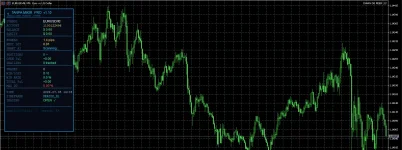
Key Specifications & Requirements
To get the most out of DWAN DE PEER and avoid unnecessary technical hurdles, please adhere to the following baseline requirements:- Platform: MetaTrader 5 (A 64-bit version is strictly required for .ex5 compatibility).
- Trading Instrument: XAUUSD (Gold).
- Timeframe: M30.
- Recommended Minimum Deposit: $1,000. This ensures an adequate margin buffer to withstand potential drawdowns inherent to gold trading.
- Broker Conditions: Low-spread accounts are mandatory. Ensure your average spread does not exceed 2 pips, otherwise, sensitive entry and exit algorithms may suffer from excessive slippage.
Installation & Optimization Tips
Setting up the EA is straightforward, but attention to detail will save you from common pitfalls:- File Placement: Drop the DWAN DE PEER.ex5 file directly into your terminal's <MQL5/Experts> directory.
- Data Management: Enable the auto-save feature for your trading history. This is crucial for conducting deep post-trade analysis and optimizing the EA's performance later on.
- News & Volatility Warning: Exercise caution during high-impact macroeconomic events, such as US CPI (inflation) or NFP releases. While the EA might internally adapt to ATR spikes, it is always a best practice to monitor its behavior during extreme market turbulence or consider pausing it during major news events.
Join the Discussion
Have you already put DWAN DE PEER to the test on the M30 Gold chart? We invite our community of traders to share their backtesting and live trading results. What lot sizes, risk parameters, and broker conditions yielded the most stable equity curves for you?Drop your insights and experiences in the comments below, and let’s decode the full potential of this EA together!

 Start trading with PU Prime and get the most out of every trade!
Choose the perfect setup from our diverse range of account types: from Cent and Standard for a comfortable start and strategy testing, to professional ECN and Pro accounts featuring ultra-tight spreads for scalping and active trading.
 Exclusive perks for new traders:
 100% Bonus on your first deposit — double your starting capital, maximize your trading opportunities, and boost your margin of safety!
 15% Cashback — get a percentage of your funds back based on your trading volume, significantly reducing your overall trading costs.
 Don't miss the chance to take your trading to the next level with a trusted international broker!
 Register, open your account, and claim your bonuses:
 Use promo code: [ fixclub ] during registration to activate these exclusive offers!
 Official website: LINK
Download
View hidden content is available for registered users!
Last edited:
